Getting Started in Motor Legends
First hour checklist for Quack! Studios’ open-world racer.
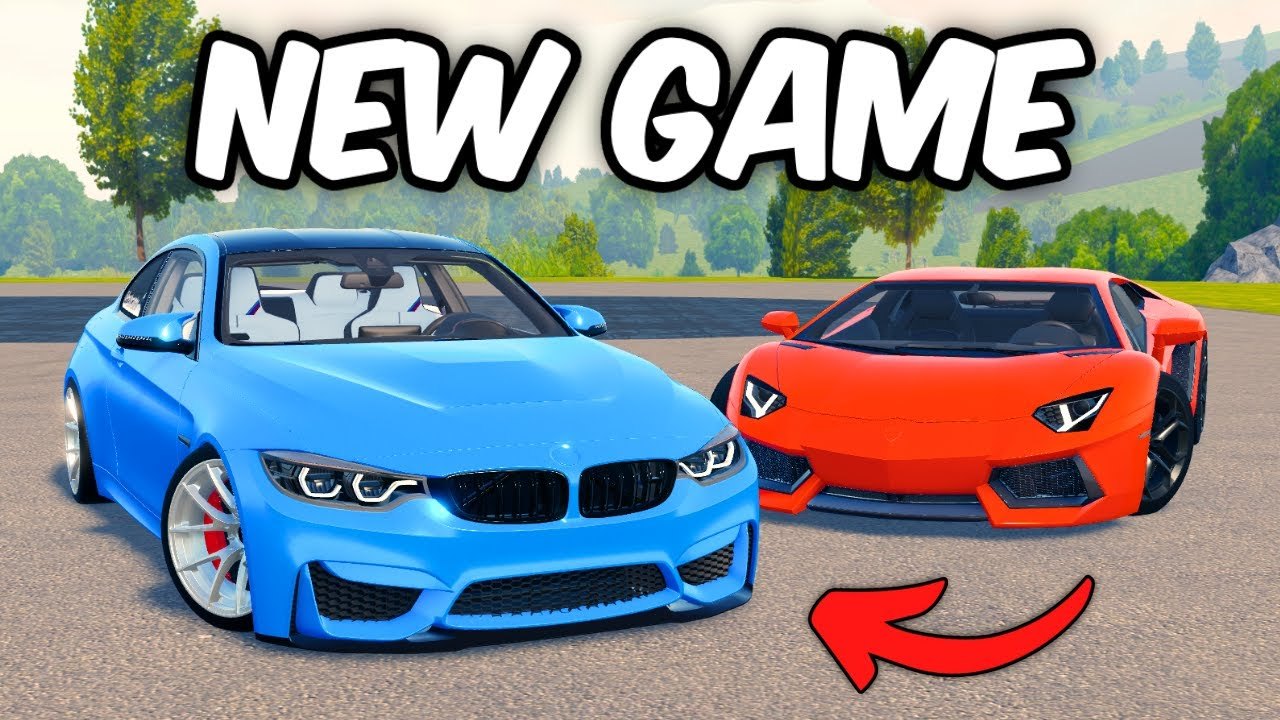
Motor Legends (Racing & Drifting) is an early-access open-world vehicle experience on Roblox by Quack! Studios. You race, drift, cruise, and customize supercars and hypercars with Cash as the main spend currency. This guide covers a practical first hour so you leave session one with codes claimed, controls comfortable, and at least one clean race finished.
Quick facts to keep straight with the rest of the wiki: released December 2, 2025; Place ID 101382716297051; Universe ID 9287599037; server size about 15; Season 4 active with weekly updates as of November 2026; roughly 5.6M visits and climbing.
Minute 0–5: launch correctly
- Open the official place: Motor Legends (Racing & Drifting) on Roblox.
- Join a public server and wait for the HUD to finish loading.
- Note the Settings gear in the bottom-right—you will need it for codes and options.
- Skim Controls if you are on mobile or a laptop trackpad; bind comfort beats raw sensitivity.
Avoid unofficial copycat experiences. Confirm the creator shows Quack! Studios before investing time.
Minute 5–15: claim free Cash
Codes are the fastest early boost. Follow How to Redeem Codes or the short path:
- Settings gear (bottom-right) → yellow Codes button.
- Paste case-sensitive strings from the Codes Hub.
- Prioritize highlighted codes:
GRAPHICSUPDATEandUPDATE25. - Sweep the rest of the active November 2026 table, then optionally try verify-list codes once each.
Do not buy sketchy “private codes.” Official and community announcements also appear via Discord & Group.
Minute 15–25: starter car and camera comfort
Your starter car is a classroom, not a forever main. Goals for the first drive:
- Learn throttle and brake modulation on open asphalt
- Find the garage / customization entry so later upgrades are not a mystery—preview topics in Car Customization
- Set camera distance so you can see apexes without motion sickness
- Decide whether tonight’s vibe is race lines or sideways practice
If you already know you want smoke, skim How to Drift after the first race—not before you can drive straight.
Minute 25–45: first race loop
Treat your first race as a systems check:
- Enter a race or route challenge available in the current Season 4 UI.
- Focus on finishing cleanly rather than podium heroics.
- Note Cash gained—this is your baseline for Earn Cash planning.
- If you crash repeatedly, slow down entry speeds before blaming the car.
- After the race, peek at Racing Cars Tier List only to understand brackets; do not hypercar-impulse spend yet.
Open-world traffic and 15-player lobbies create chaos. Leave space, expect bumps, and restart with patience.
Minute 45–60: set a Season 4 goal
Pick one goal before you log off:
- Race path: save toward a mid-tier sports or supercar from the racing tier list after more Cash loops.
- Drift path: keep the starter, read drift basics, and plan tire changes instead of a random hypercar.
- Social path: join the Discord and Quack! Studios group for update pings—details on Players.
Write the goal in a note. Early-access players waste Cash switching goals every patch. Weekly updates are normal; panic spending is optional.
First-hour checklist (print mentally)
- Official place launched
- Settings gear located
GRAPHICSUPDATE/UPDATE25redeemed (if still live)- Other active codes attempted
- Controls comfortable on your device
- Starter car driven without constant spinouts
- At least one race or timed route finished
- Cash total noted
- Next purchase goal chosen (race vs drift)
- Wiki hubs bookmarked: Guides, Codes, Tier List, Updates
Mistakes to skip on day one
- Ignoring codes because “I will grind instead”
- Buying the most expensive hypercar before learning brakes
- Running third-party scripts for auto Cash and risking the account
- Typing codes in lowercase when they are case-sensitive
- Quitting after one traffic wreck in a full server
What to read next
- How to Earn Cash — stretch tonight’s Cash into a real upgrade
- How to Drift — if sideways is the fantasy that brought you here
- Season 4 — understand the weekly update culture you just joined
- Official Links — Roblox, Discord, group in one place
Motor Legends rewards curiosity. The open world is the tutorial map. Finish this first hour cleanly, then let Season 4’s weekly drops surprise you—with a funded garage and a plan.
Frequently Asked Questions
Quick answers to the most common questions.
Is Motor Legends free to play on Roblox?
Yes. Join the official Quack! Studios place on Roblox. Cash progression comes from gameplay and promo codes.
What should I do first after spawning?
Open Settings, redeem active codes, confirm controls, then complete one clean race in the starter car.
Which codes should new players redeem?
Start with GRAPHICSUPDATE and UPDATE25, then clear the active list on the Codes Hub. Older codes are verify-only.
Should I buy a hypercar in the first hour?
Usually no. Learn the starter, earn Cash, and consult the Tier List Hub before big purchases.
Where do I find friends or update news?
Use the Players Hub, Discord & Group guide, Updates Hub, and Official Links page.