Motor Legends Graphics Update & UPDATE25
What the Nov 9, 2026 graphics-focused drop means for visuals, FPS, codes, and your weekly Season 4 habit.
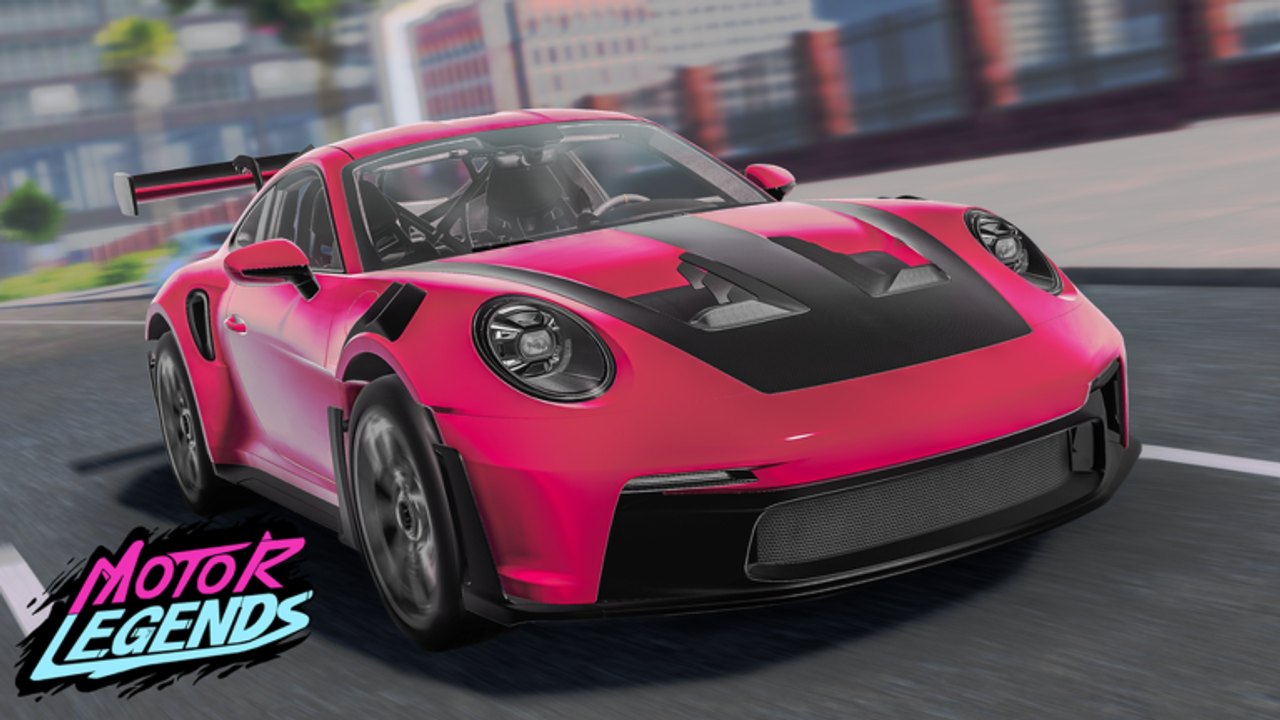
The Graphics Update era in Motor Legends is best understood through two player-facing signals: the promo codes GRAPHICSUPDATE and UPDATE25, and the practical checklist racers run after a polish-heavy weekly patch. Quack! Studios ships Motor Legends as an early-access open-world racing and drifting experience on Roblox. Season 4 still sets the weekly cadence as of November 2026, and the November 9, 2026 highlight pair sits squarely inside that rhythm.
This page does not invent unpublished GPU feature lists. Official patch notes for Roblox experiences are often short. What players feel—and what code trackers highlighted mid-November 2026—is clearer: visuals got another polish pass, free Cash landed via named codes, and anyone chasing clean inputs should recheck quality settings before blaming their tunes.
Parent hub: Updates. Season context: Season 4. Seasonal layer: Halloween Update. Live redeem list: Codes.
What landed around Nov 9, 2026
Community and guide roundups flagged GRAPHICSUPDATE and UPDATE25 as the highlighted codes added around November 9, 2026. Treat them as the label for this graphics-leaning weekly pulse—not as proof of a brand-new renderer rewrite. In early development, “graphics update” usually means lighting, materials, world presentation, or UI clarity improvements layered onto the same open-world loop you already know.
Redeem both codes immediately on every account you play:
- Join Motor Legends on Roblox.
- Open Settings with the gear in the bottom-right.
- Tap the yellow Codes button.
- Enter
GRAPHICSUPDATEandUPDATE25exactly (case-sensitive).
Step-by-step screenshots and failure reasons live on How to Redeem Codes. After the highlight pair, sweep the rest of the active table on the Codes Hub so you do not leave older weekly strings unclaimed.
Practical player impact (no fantasy feature sheet)
When a week is marketed around graphics polish, expect three grounded outcomes:
- Visuals — the open world and cars may look cleaner or denser under higher quality settings. That is the win players notice first on PC.
- Possible FPS cost — prettier scenes can cost frame time, especially on mobile or low-end laptops. Unstable FPS hurts countersteer more than a slightly flatter skybox.
- Code rewards — Cash from
GRAPHICSUPDATE/UPDATE25compresses early garage progress when spent on real goals, not panic cosmetics.
Skip rumor threads that list ray tracing tiers, custom shaders, or other engine features Quack! Studios never published. Play the build in front of you; measure feel on a familiar road.
FPS and settings checklist after polish patches
Graphics-focused drops are the exact moment to reopen quality sliders. Start from Controls habits, then:
- Cap expectations on mobile—prioritize stable frame time over max beauty.
- Lower one quality step if steering feels sticky or rubbery after the patch.
- Retest on a quiet stretch before blaming tire compounds.
- Confirm the bottom-right Settings gear and Codes button still behave as documented.
- Only raise graphics again once race or drift inputs feel trustworthy.
A prettier lobby that drops frames mid-apex is a net loss. Performance first; max settings second.
Re-test handling and tunes
Polish patches sometimes nudge how the world reads at speed even when the garage UI looks unchanged. After redeeming codes:
- Drive your race primary on a route you already know (How to Drift partners well if you main slides).
- Open Car Customization and change one tire or suspension click at a time if feel shifted.
- Cross-check living estimates on the Tier List Hub—do not liquidate a proven A-tier daily driver because a trailer hypercar looked shinier in the new lighting.
- Fund any re-buy with legitimate loops from Earn Cash, not shady automation.
Weekly Season 4 culture rewards calm re-tests. Panic garage wipes do not.
How this fits the Season 4 weekly habit
Treat graphics weeks like any other early-access pulse:
- Before the window: finish Cash loops, screenshot tunes, redeem aging codes.
- Just after: skim Discord / group notes (Discord & Group), redeem
GRAPHICSUPDATEandUPDATE25, then one familiar drive. - Mid-week: practice, crew up, and ignore “broken money” script spam that always spikes after spicy patches.
Season branding, weekly UPDATE## naming, and event flavors all share the same early-development cadence. The Graphics Update page simply zooms into the polish + highlight-code moment inside that larger Season 4 chapter.
Fair play and rumor hygiene
When visuals change, sellers flood chats with injectors that “fix FPS” or “unlock graphics.” Prefer Roblox client settings and legitimate progression. Official place, group, and Discord links stay collected on Official Links. If a patch frustrates you, wait for community notes instead of pasting unknown executors.
Related pages
- Updates Hub
- Season 4
- Codes Hub
- How to Redeem Codes
- Controls
- Car Customization
- Earn Cash
- Tier List Hub
- Discord & Group
- Official Links
Redeem the highlight codes, protect FPS on your device, re-test one familiar car, then keep riding Season 4’s weekly wave with a plan.
Frequently Asked Questions
Quick answers to the most common questions.
When were GRAPHICSUPDATE and UPDATE25 added?
Code trackers highlighted both as added around November 9, 2026. Redeem them via Settings → yellow Codes, and confirm the live list on the Codes Hub.
Does the Graphics Update change my car’s handling?
Not always—but polish patches can change how the world feels at speed. Re-test a familiar route and adjust tires or suspension one click at a time if needed.
Why did my FPS drop after the graphics polish?
Higher visual density can cost frame time, especially on mobile. Lower quality settings for stable inputs; prettier frames that stutter mid-corner are a net loss.
Where do I redeem GRAPHICSUPDATE and UPDATE25?
Open the gear icon in the bottom-right Settings menu, tap the yellow Codes button, and enter each string exactly. Full steps are on How to Redeem Codes.
Is this a separate season from Season 4?
No. It sits inside Season 4’s weekly early-access cadence. Use the Season 4 page for chapter context and this page for the graphics/code checklist.